
No guessing for unknown absence days
When the contract terms of a paid absence day are not known, the dashboard shows its cost as unknown instead of estimating it from the current pay. Cost readiness flags the unknown absence days.
Scheduling
Shift rosterPlan to the rhythm of salesAutomatic shiftsA ready draft in secondsShift offersOpen shifts out to the teamStaffing needsSay how many you need and when
MaRa agreement · depth of support
Agreements
Employees’ agreement · Supervisors’ agreement
Employment
Full-time · Part-time · Variable hours
Working-time forms
Weekly hours · Period work, 3 weeks · Night work · Equivalent to three-shift work
Calculation and monitoring
Rest periods · Additional work and overtime · Evening and night allowances · Midweek holidays · Standby · Annual leave · Local agreements

From a customer
“The best thing the industry has seen.”
Erkka · Ravintolamestarit
Episodes
What is MaRa TES and does it apply to me?Episode 2 · video 3:51Finnish labour rules in 5 minutes: law, TES and your contractEpisode 1 · video 2:52Shift roster rules in Finland: notice, rest and changesEpisode 15 · video 2:39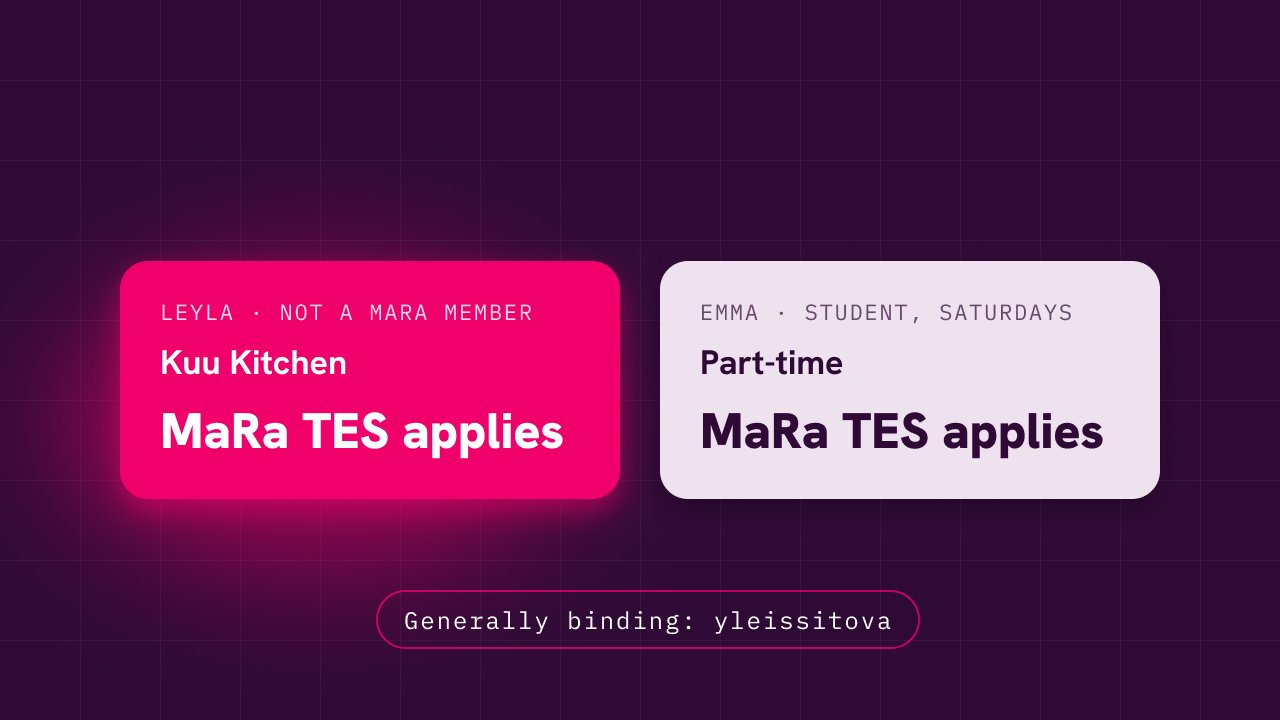
The latest product updates and improvements. We build Sutja closely together with our customers.
When the contract terms of a paid absence day are not known, the dashboard shows its cost as unknown instead of estimating it from the current pay. Cost readiness flags the unknown absence days.
On the Ask tab of the Feedback and support window you can ask in your own words where a setting is or how the collective agreement treats a situation. The assistant answers from your workspace settings and agreement, within your role. If it does not know, your question moves to a prefilled support request. An admin can turn the assistant off in the shift planning settings.
Every publication leaves a version. Managers see what each publication changed, and employees see the changes in their own calendar. Each publication sends the employee one summary notification of the changes.
Moving or removing a published V or X day off is sent to the employee as a consent request. The employee answers it in their notifications, also on the phone, and an approved change is applied to the roster.
On the Pay supplements tab of the collective agreement settings you now choose whether the workplace does Sunday work. The choice decides whether an employee gets a paid day off when Independence Day falls on a weekday.
When an employee is rehired, the hours of the earlier employment are calculated with the contract terms of that time instead of the current ones. If the earlier terms are not known, the calculation uses the current settings as before.
When Sutja does not recognise a POS report file, the Suggest interpretation button asks AI to suggest the columns. The suggestion only prefills your choices, and you check them in the preview before importing. An admin can turn the feature off in the POS sales settings.
On the Data import page, an admin imports staff from a CSV or Excel file and enters opening balances for annual leave, annual days off and time off in lieu in one table. A preview flags invalid rows before you confirm, and the table shows whose balance is still missing.
The internal shift note, which also holds the stated reason for withdrawing a shift, is now visible only to managers and admins. Employees and subcontractors no longer see it on their own, a colleague’s or an open shift. For now, a message meant for the employee goes in the shift’s message thread.
When a published shift of an employee under the MaRa or SOSTES agreement is unpublished or cancelled, Sutja now always asks for the employee’s consent or a recorded exception, also from admins and for shifts far in the future. Unpublishing a SOSTES period requires a stated reason.
Actual costs split each week’s hours into regular hours, additional work and overtime under the contract that was in force at the time, the same way as the payroll data. If a week’s contract terms are unknown, the cost is shown as unknown rather than estimated.
When Independence Day falls on a weekday, Sutja treats it as the paid day off the law provides: weekly target hours shrink and the shift rhythm keeps the day free. A setting records whether the workplace does Sunday work.
Supplementary days off under the Annual Holidays Act that were still unused in the old system are recorded on the employee card for the leave year before go-live. After that they can be taken in Sutja as supplementary days.
Admins can now change the start date of balancing periods in the collective agreement settings even after periods exist. Before you confirm, Sutja shows which unlocked periods are rebuilt, and a locked period prevents the move. Under the MaRa agreement, absences now count as hours worked towards the period cap as the agreement requires.
Compulsory training held outside working hours is recorded as its own entry with date and duration. For employees under the MaRa collective agreement it produces a compensation line in the payroll data, as the training agreement requires.
The leave balance report shows the annual day-off balance in its own column next to annual leave, both on screen and in the PDF export.
When you change an employee's collective agreement profile or contract type, Sutja shows before saving which rules and local agreements change and whether anything blocks the save.
The app, sign-in and emails moved to the new look: the pink whale, new icons, colours and fonts.
The customer grants Sutja support access to their workspace themselves, for a set period. Support sees the data in read-only mode, every session is logged in the history, and a banner tells users while access is active.
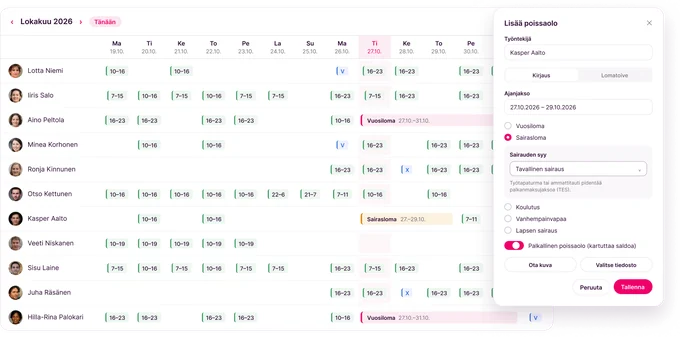
An employee reports an illness that started during their holiday directly in the app, and the manager approves or rejects the transfer. The balance, waiting days and the deadline for the moved leave update automatically.
POS sales can be imported as a file even when the till has no API. Imports covering several files and locations are checked against monthly totals before publishing, and sales show up hour by hour in planning.
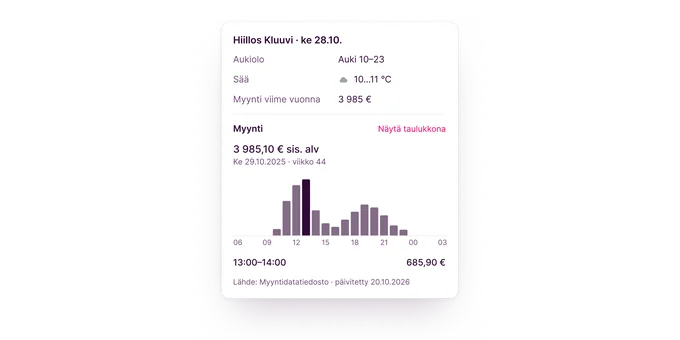
Exceptional opening hours and public holidays are entered in the location calendar. They appear in the roster and in the period’s daily summary next to weather and sales.
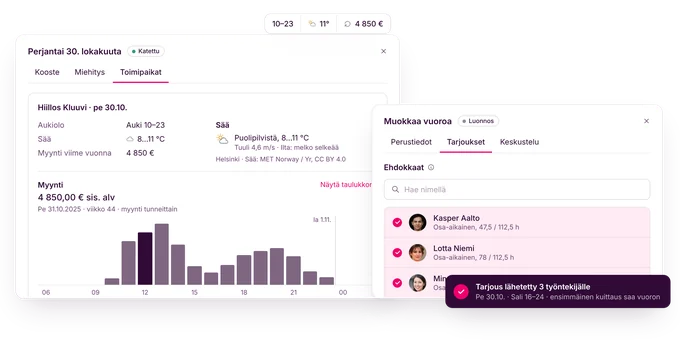
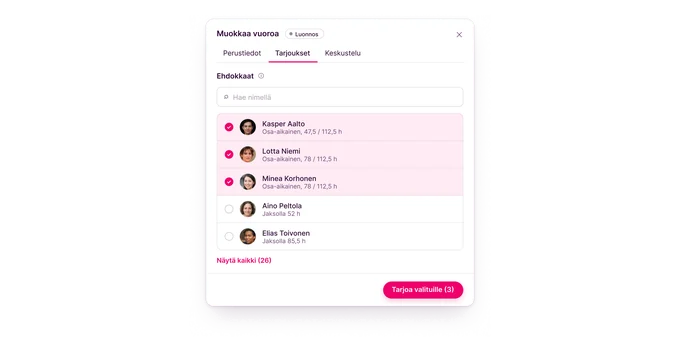
An open shift is offered through a single candidate list. Skill requirements narrow down the candidates, the employee accepts the offer themselves, and the offering order can be chosen in the workspace settings.
Actual work is recorded and approved shift by shift. The roster shows planned and actual time side by side, and the balancing period is calculated from actual hours.
Shifts for people on a fixed schedule are generated from a weekly rhythm. A change to the rhythm is previewed before saving, and absences are taken into account in rhythm shifts.
Employees enter their preferred hours and blocked days in the app, and Sutja reminds them before the deadline. Managers see the preferences right in the planner.
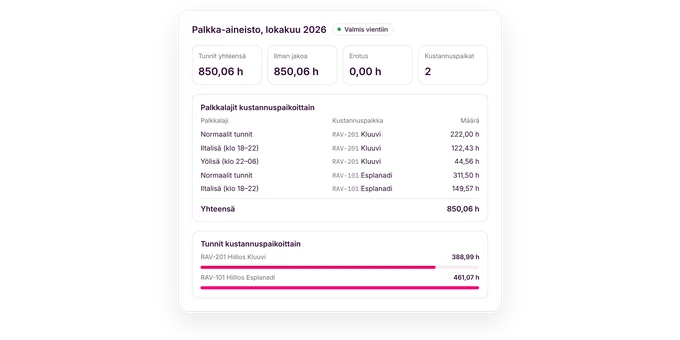
Payroll rows can be split across the cost centers of the work locations in each shift. An employee’s hours per pay code stay exactly the same (to 0.01 h), so the export reconciles whether the split is on or off.
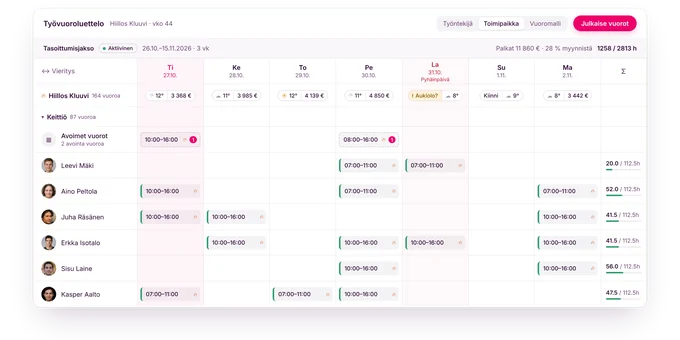
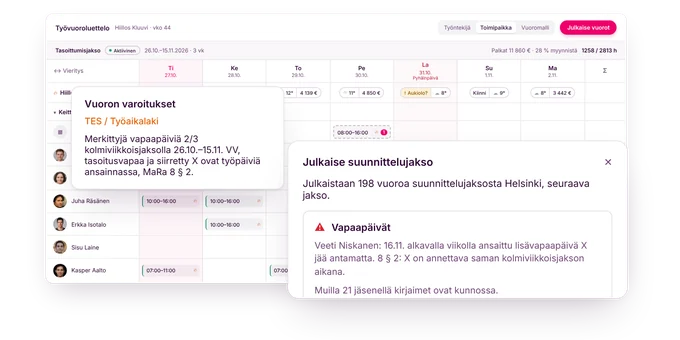
Plan a whole period on one timeline. Shifts stagger automatically, and coverage and cost update in real time.
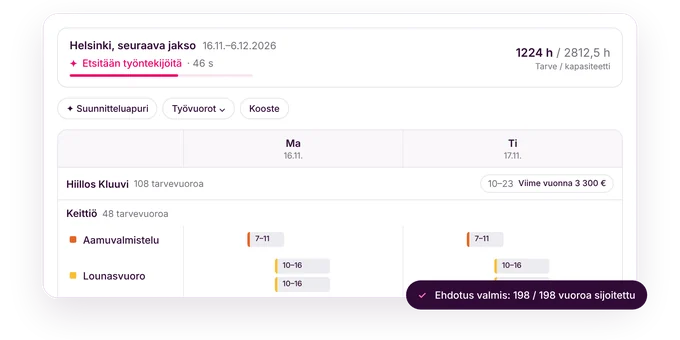
Sutja's automation builds a fair, lawful rota in seconds. Rest periods, overtime limits, skills and workload are all accounted for.
MaRa rest periods, overtime and premiums are checked automatically. Evening, night, Sunday and public holiday premiums are calculated correctly.
On a sick day Sutja proposes qualified, available substitutes in ranked order, with rest periods and the CBA checked.